

In today’s fast-paced business world, timely communication is key. Customers expect instant updates, reminders, and notifications. That’s why more businesses are turning to text alerts—a quick, reliable, and effective way to reach people wherever they are.
With VeloConnect, setting up text alerts is simple, secure, and designed for maximum impact. Let’s walk through why text alerts matter, how they work, and how you can set them up for your business.
Why Text Alerts Win Over Phone Calls
Unlike phone calls, which can interrupt customers at inconvenient times, text alerts are:
- Quick and non-intrusive – Customers read them when it’s convenient.
- Highly engaging – SMS messages have open rates of over 90%.
- Scalable – Perfect for reaching hundreds or thousands of contacts instantly.
With VeloConnect, you get a reliable, enterprise-grade platform to send alerts that customers won’t ignore.
Types of Alerts a Business Typically Sends
Businesses across industries benefit from text alerts. Some of the most common include:
- Emergency alerts – Weather updates, urgent notifications, system outages.
- Promotional marketing alerts – Special offers, limited-time discounts.
- Announcements – New product launches, upcoming events.
- OTP notifications – Secure login codes for two-factor authentication.
- Customer notifications – Appointment reminders, delivery updates, and more.
Key Features of an Effective Text Alert System
When choosing an alert system, businesses should look for:
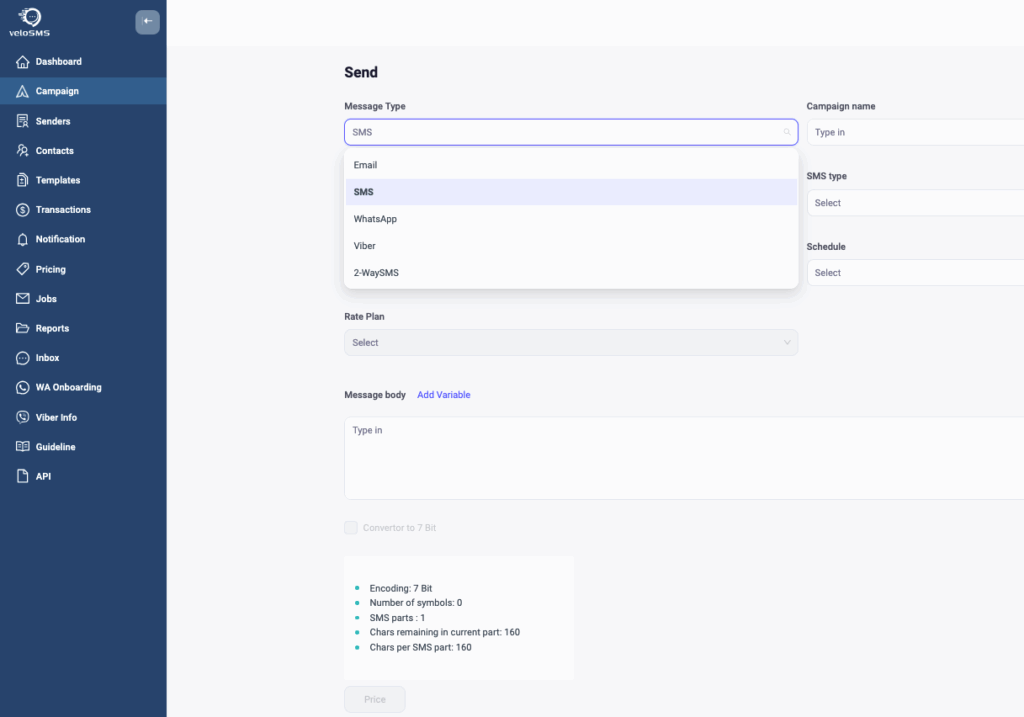
- Omnichannel capabilities with fallback – If SMS doesn’t deliver, VeloConnect automatically switches to Viber or WhatsApp.
- Reliability and deliverability – Enterprise-grade routing ensures messages reach their destination.
- Minimal downtime – Built-in redundancies keep your communication smooth.
- Fast support – Our team is available to resolve issues quickly.
- Compliance and security – GDPR-compliant and built for enterprise-level data protection.
Setting Up Text Alerts with VeloConnect: A Step-by-Step Guide
Getting started with VeloConnect is easy:
- Create your VeloConnect account – Sign up in minutes.
- Set up your dashboard or integrate via API – Choose the setup that fits your business.
- Configure your Sender ID – Personalize your brand identity.
- Create your contact list – Upload your audience and start sending alerts.
Whether you’re a small business or a large enterprise, VeloConnect adapts to your needs.
Use Case Examples for Marketers
Here’s how different industries use VeloConnect text alerts to drive success:
- Emergency alerts – Schools and municipalities notify communities instantly.
- Promotional marketing alerts – Retailers boost sales with flash deals.
- Announcements – Businesses share upcoming events or product updates.
- OTP notifications – Banks and apps secure logins with instant codes.
- Customer notifications – Clinics send appointment reminders, logistics companies confirm deliveries.
Final Thoughts
Text alerts are no longer optional—they’re essential for effective customer communication. With VeloConnect, you’ll have a secure, scalable, and easy-to-use platform designed to keep your audience informed and engaged.
Ready to transform your business communication? Start with VeloConnect today and experience the power of reliable text alerts.
